
mfgQC for Excel Excel Add-in
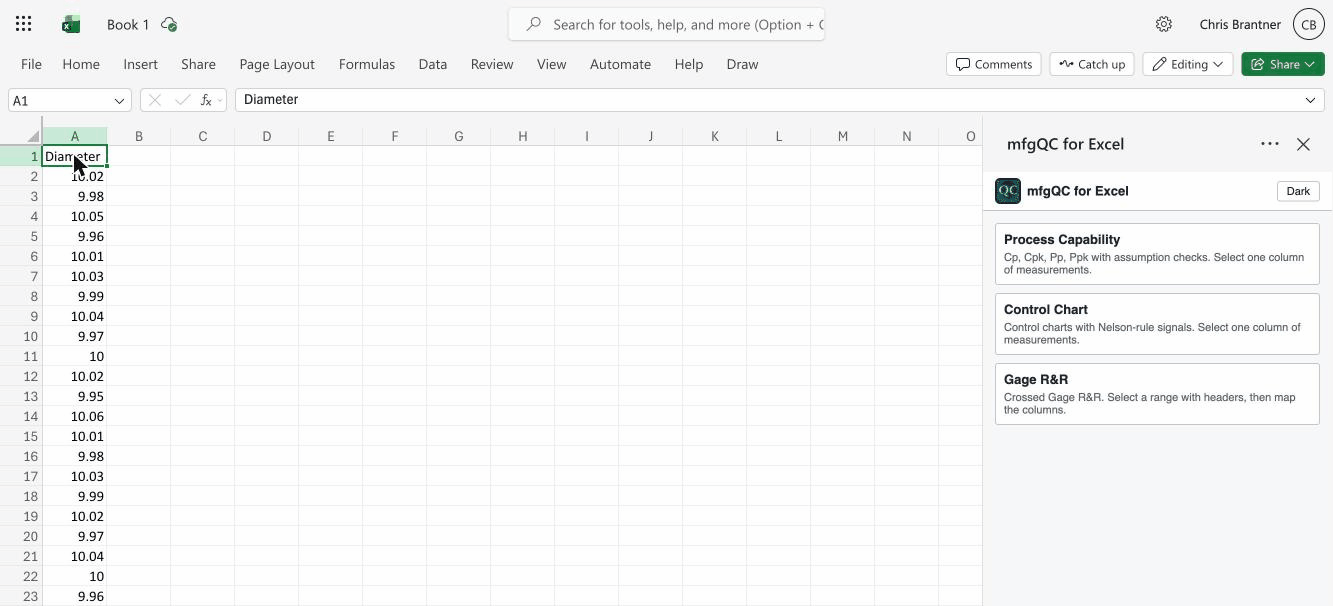
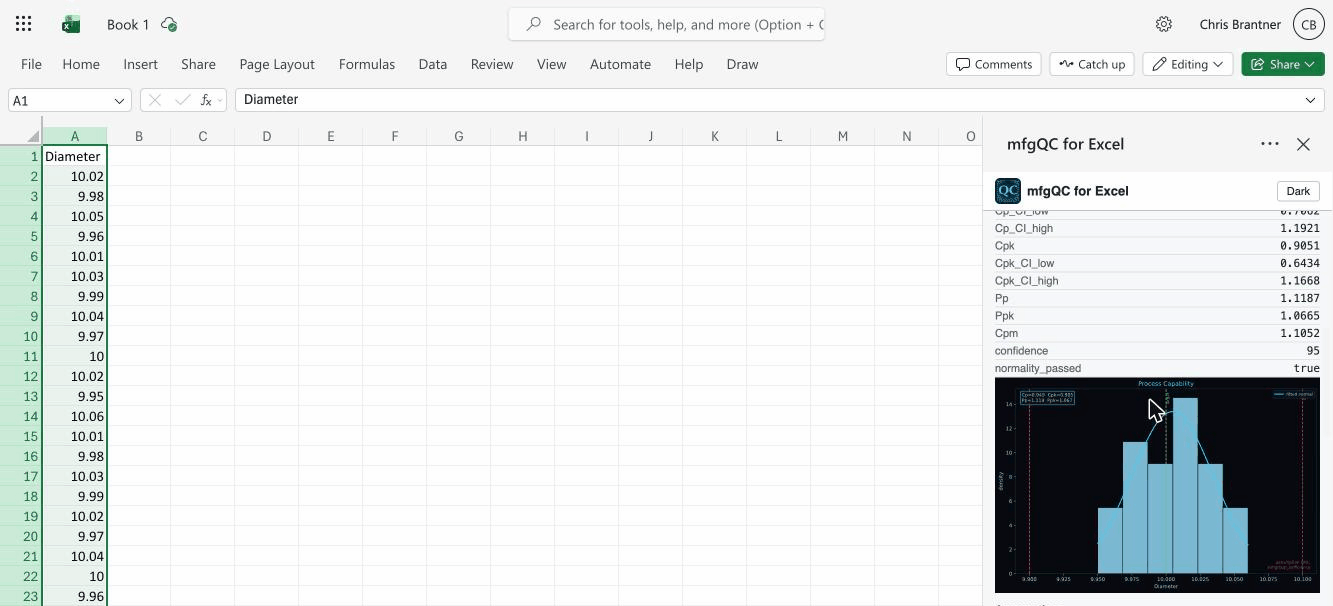
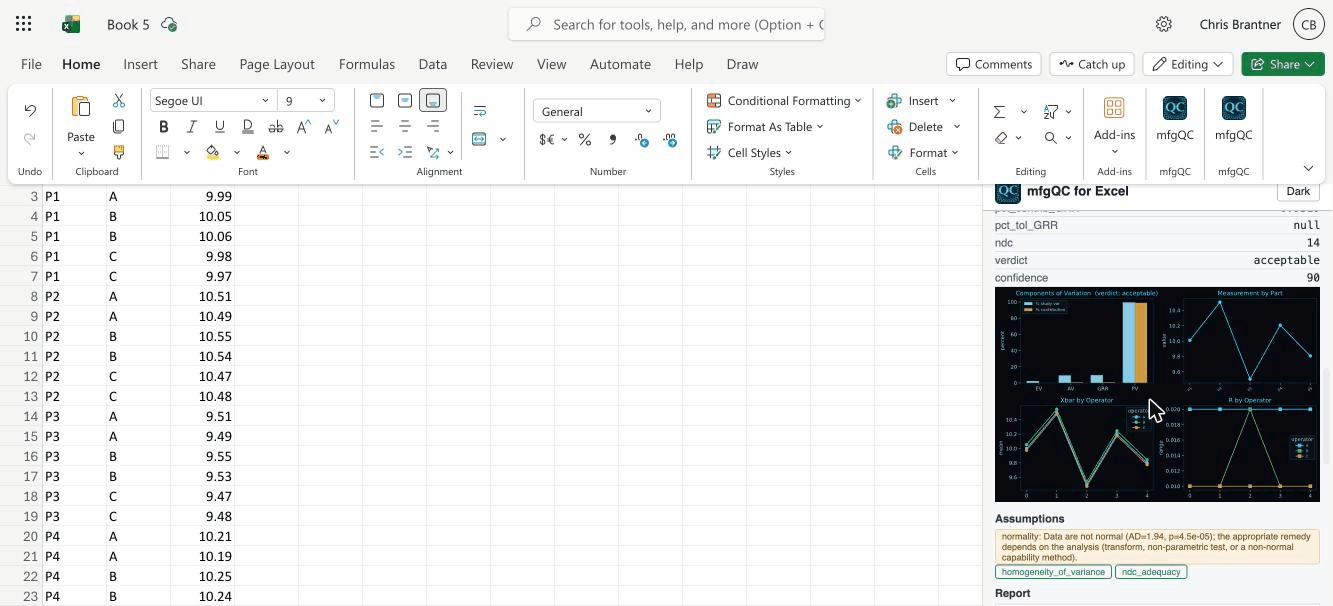
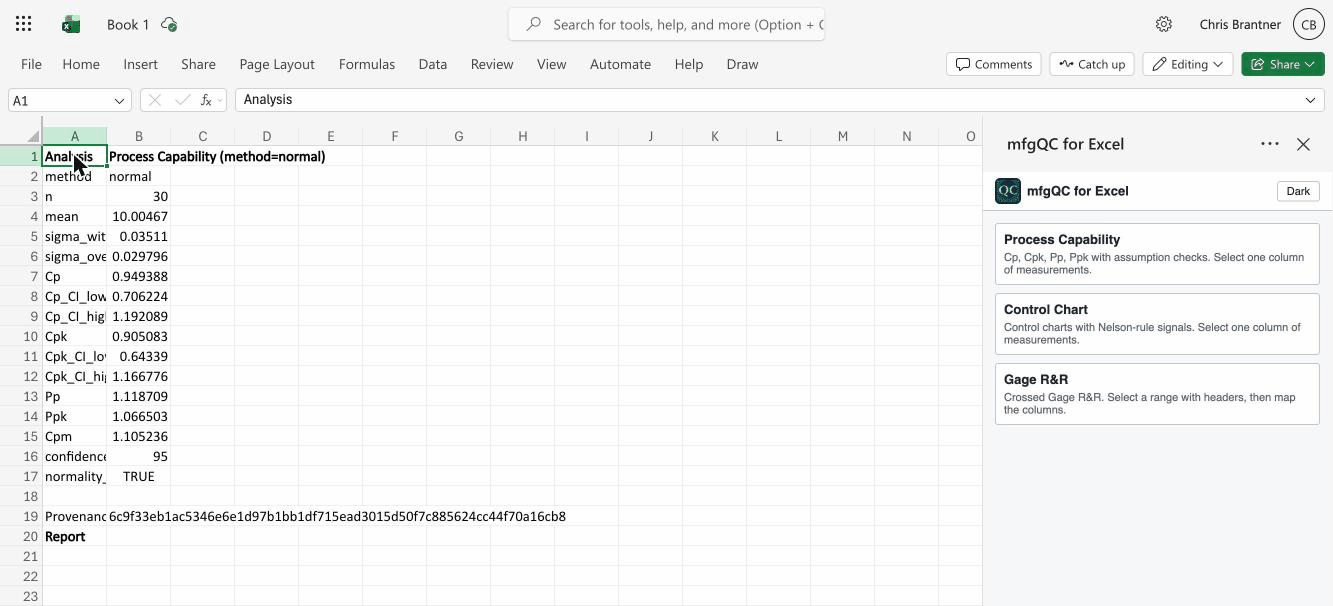
The mfgQC engine inside Excel. Select your data and run process capability, control charts, and gage R&R with the same assumption checks and provenance as the Python package. Results and charts are written straight back into your sheet.
Free, no sign-in. Your data never leaves your session. Coming soon to Microsoft AppSource.
Installing the add-in
mfgQC for Excel installs by uploading its manifest file. Pick the path that fits your account.
Install it yourself
For most Microsoft 365 accounts that allow add-ins.
- Download the manifest (
mfgqc-for-excel.xml) and save it somewhere you can find it. - Open Excel and go to the Insert tab.
- Choose Add-ins (or Get Add-ins), then open My Add-ins.
- Click Upload My Add-in in the top corner of that dialog.
- Browse to the manifest you downloaded and select it.
- mfgQC appears on the Home tab. Click it to open the task pane.
Works in Excel on Windows, Mac, and the web. On the web, use Insert → Office Add-ins → Upload My Add-in.
Make it available to your users
For Microsoft 365 administrators deploying it across a team.
- Sign in to the Microsoft 365 admin center.
- Go to Settings → Integrated apps, then choose Upload custom apps.
- Provide the manifest file (upload
mfgqc-for-excel.xml), then assign it to the users or groups who should have it.
Deployed add-ins appear automatically in those users' Excel ribbons. Rollout can take a few hours to reach everyone.
Not an administrator?
Some organizations block individual uploads.
If Upload My Add-in is missing or greyed out, your organization requires add-ins to be deployed centrally. Ask your Microsoft 365 administrator to make it available using the steps above.
Requirements
- Excel with a Microsoft 365 subscription, on Windows, Mac, or the web
- An internet connection (the add-in computes on our secure service and returns results to your sheet)
- No account, sign-in, or install of anything on your machine
Questions before you install?
We are happy to help you get it running or deployed for your team.
Contact Us